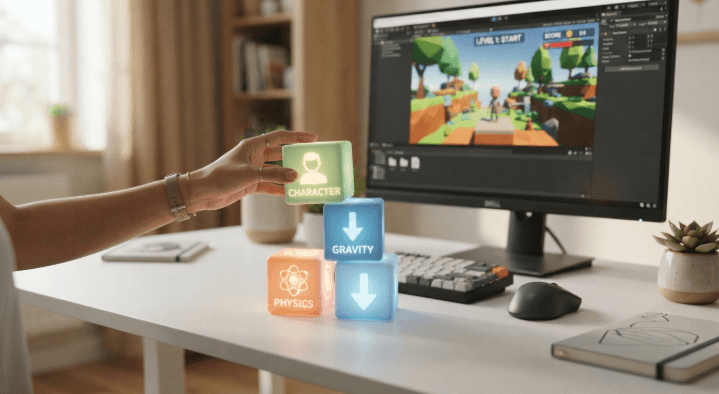
Have you ever had a great idea for a video game but didn’t know how to make it come to life? Making a video game can be very daunting, especially when you have to code, design, animate, and build levels. Luckily, there is a way to remedy that. A game builder can help you to make your own creation come to life more easily by making it more accessible to you.
With systems like Astrocade, you can make games without having to go through the headache of development. You can just make a game with your bare minimum idea and then expand on it as you get more access to tools. The following guide will give you some insight on how to use tools to build, design, test, and release your very own game!
Easy Game Creation
Starting your first game does not have to be a challenge. Just think of something simple, and set your requirements. You can make a puzzle platformer or a racing adventure.
Having a focused goal in mind will help you tremendously, as it allows to prioritize what you need to code first. Just remember, you can always go back and add more to the project later. It is best to start small and then expand, as it will help you keep track of what you have done and what you are going to do. You will learn many valuable things even when making a small game, such as how to implement different objects, controls, levels, rewards and more.
Simple Building Tools
Modern development tools can significantly simplify the process of creating a game project. A lot of platforms offer drag-and-drop functions, premade assets and various other tools that can make a game creation less technically demanding.
A game builder can be a great tool for a novice developer, which helps them create a working product without having to spend too much time on the technical aspects. Instead of coding everything manually, the visual editor lets the creator focus on their ideas first, and implement them later in the engine. It is important to pick a suitable builder tool, which will offer a set of intuitive tools. Such a product will let a beginner learn and practice the basics of game design while they get up to speed with the mechanics of their chosen engine.
Design Games Quickly
The fundamentals of good game design center around the game-play and its qualities. It is essential to think of the purpose, controls, challenges, rewards, and themes that will define the creators’ work. Even the most straightforward games can provide satisfying game-play and be engaging if they are designed correctly.
Moreover, graphic design is indispensable in the creation of a game. The figures, settings, objects, colors, and sounds that comprise the game’s graphical interface should complement the theme and mechanics. For instance, a cartoonish game design will have a bright palette and features that are whimsical and cartoon-like.
Create Game Levels
Levels allow gamers to discover new areas to explore and obstacles to overcome. The first level should provide a gamer with a basic understanding of controls and gameplay. Other levels should be designed to add new challenges such as various enemies, puzzles, and obstacles.
When using a game builder, designers should be able to create and test a game without having to recreate the game every time they wish to adjust. It is advisable to design the game from a basic model and add features while testing.
See also: The Influence of Local Culture on Digital Branding Among Minnesota Businesses
Share Games Easily
Sharing your work allows others to experience your creation. Your friends and other players can give you advice and criticism on controls, difficulty, and level design. Their feedback can help point out flaws you may have overlooked.
Before sharing your work, test it out and make sure controls are responsive and intuitive. Test out your game and make sure players know what to do. Fix bugs and glitches and test out levels before posting or publishing your work.
Conclusion
A game designer can ease the learning process of game creation for a newbie by providing numerous tools for developing, designing, testing, and distributing the products. One should begin with a concept and add a few characters, levels, game mechanics, and graphics. The primary idea is to constantly practice and improve one’s skills through the creation of multiple projects.
As a person becomes more confident in their abilities, they can explore different genres and develop their own unique experiences. One should also try to get inspired by the already existing games, such as Neon Circle Traffic, but strive to make their project better and more personalized. It is critical to keep the designing process flexible and manageable and frequently test the product to ensure it meets all the requirements and performs well overall.
FAQs
What is a game builder?
A game builder refers to a software or platform that enables users to create or develop games. The tools often include features such as visual editors, templates, assets, and other resources to facilitate game development.
Can beginners use a game builder?
Correct. Most game builders are intended for novice game designers, and they offer features that enable one to design games without advanced coding skills and knowledge.
Do I need coding skills to build a game?
Not necessarily. The visual development tools allow you to design a game without any coding at all, but coding can help you implement more complex mechanisms and customization options.
What type of games can I build?
It depends on what tools you choose. You can design puzzles, develop 2D or 3D platformers, create various arcade games, build a racing simulator, act out an adventure game, and much more.
How can I make my first game better?
Test and beta-test your product, analyzing the control quality, gameplay, physics, graphics, and other aspects. Remember that game development is an iterative process, so use the received feedback to improve your product incrementally.